

Training
Short, task-focused walkthroughs that take you from "I have a workspace" to "I run my operation from it." Each one is a few minutes, written so you can follow along live or hand it to a new starter.
Start here
If you are brand new, do these in order. They build on each other.
- Getting started — sign in, find your way around, connect your agent, run your first task.
- Talk to your agent. Open the chat panel and ask for something real — "what's due this week?", "draft a reply to the last message in my inbox". Watch it act, then check the result on screen.
- Use the command palette. Press
⌘K/Ctrl+Kand type what you want. It is the fastest way to reach any record, action, or setting.
Core skills
The handful of things everyone uses, every day.
- Contacts & companies — add people and organisations, link them, keep one clean record per relationship.
- Tasks — capture work, assign it, track it to done. Let your agent create and chase tasks for you.
- Inbox — handle email and messages in one thread per contact, with your agent drafting replies.
- Calendar — schedule, invite, and let your agent find slots and book them.
- Documents — store, share, and search files, with private spaces for sensitive material.
Each of these is covered in depth — what it does, how to use it, and how it works with your agent and the rest of your operation — in Apps & extensions.
Working with your agent
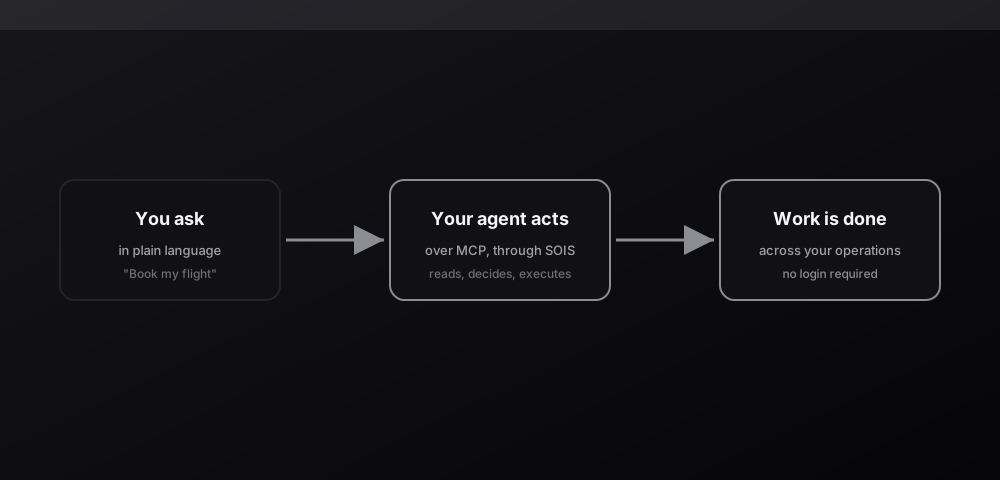
The skill that pays off most is learning to delegate. Sois is built so the agent is the primary user, not an afterthought.
- Describe outcomes, not clicks. "Raise a flight request to Berlin for Tuesday's conference and route it for approval" beats opening five screens.
- Chain steps. Your agent can combine actions across apps in one request — create a contact, draft an email, schedule a call — without you wiring anything.
- Stay in control. The agent reports back in plain language; you confirm, adjust, or take over on screen whenever you want.
See Connect your agent to bring your own AI client, or the Chat Agent Gateway to message Sois's agent directly.
For administrators
If you set up and run the workspace for your team:
- Switch on the apps your team needs from Settings → Apps, and turn off what you do not.
- Manage people and permissions so each person sees exactly what they should.
- Brand the workspace and configure defaults — language, currency, timezone.
On every device
Sois goes where you do. Learn the differences and when to reach for each:
- Mobile app — your workspace and agent in your pocket, built for quick capture and on-the-go approvals.
- Desktop app — a focused, native window for deep work, with the conveniences a browser tab cannot offer.
A good rule for training a new starter: give them the getting-started walkthrough, one real task to do with their agent, and the command palette shortcut. Everything else they will pick up by describing what they need.